
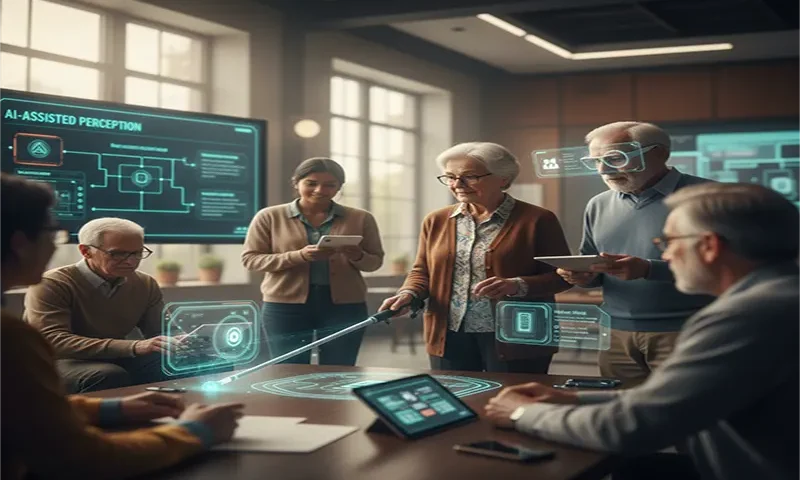
The digital revolution has often been a double-edged sword for the disability community: while providing new tools, it has frequently introduced new barriers. However, as we move through 2026, a fundamental shift is occurring. We are transitioning from simple accessibility features to Human-Centric AI—systems that don’t just “read” a screen, but “understand” the physical world.
With a global aging population and over 2.2 billion people living with distance or near vision impairment, the mandate for innovation is clear. Modern assistive technology (AT) is now driven by Multimodal AI, which fuses vision, sound, and touch into a seamless “Contextual Intelligence” that restores independence and dignity to those who need it most.
Part 1: The Evolution of Assistive Vision
In the past, assistive tools were reactive. A white cane tells you there is an obstacle; a screen reader tells you there is text. Today, Edge Computing and sophisticated Computer Vision models allow for proactive assistance.
From Detection to Contextual Awareness
The “Holy Grail” of 2026 AT is Visual Question Answering (VQA). Unlike traditional object detection that simply labels an item as “milk,” VQA-enabled systems allow a user to ask, “Is this milk expired?” or “How much is left in the carton?” By processing images through a Vision-Language Foundation Model, the AI can read small text, analyze visual levels, and provide a natural language response.
Edge-Based Processing
Speed is safety. To avoid the latency of the cloud, many modern AT projects utilize Edge-based Vision. Using optimized models like YOLO (You Only Look Once), wearables can process video locally at 30+ frames per second. This enables real-time “Social Cue Detection,” where the AI can whisper in a user’s ear, “A man is approaching from the right; he looks like he is about to wave.”
Part 2: Project Idea 1 – The “Contextual Companion” Wearable
For students or developers, building a high-impact wearable is more accessible than ever. This project focuses on bridging the “Social Gap” for the visually impaired.
- The Concept: A chest-mounted or glass-mounted camera (using a Raspberry Pi Zero 2W or OAK-D-Lite) that acts as a social translator.
- Key Feature: The system identifies known faces and interprets non-verbal body language.
- Implementation: Use a Pre-trained Multimodal LLM (like LLaVA or a distilled GPT-4o) to generate descriptions such as, “Your friend Sarah is smiling and gesturing for you to sit down.”
- Output: Spatial Audio or Bone Conduction headphones, which allow the user to hear the AI without blocking environmental sounds like traffic or conversations.
Part 3: Project Idea 2 – Privacy-First Smart Home for the Silver Generation
For the elderly, particularly those with dementia, the home can become a place of hidden dangers. The goal here is “Passive Monitoring” that respects privacy.
- The Concept: A “No-Camera” monitoring system using mmWave Radar or LiDAR.
- The Problem: Traditional cameras feel invasive in bedrooms or bathrooms.
- The AI Solution: Radar and LiDAR sensors create a point-cloud map of the resident’s movement. An AI model is trained to recognize the “signature” of a fall vs. someone simply sitting down quickly.
- Safety Feature: If a fall is detected, the system uses a voice assistant to ask, “Are you okay?” If no response is heard, it automatically alerts emergency contacts with the precise location within the room.
Part 4: Project Idea 3 – Semantic Indoor Navigation
GPS works wonders outdoors, but it fails the “Last Mile” inside complex buildings like hospitals or transit hubs.
- The Concept: A navigation app that uses Semantic Mapping.
- The Technology: Utilizing ARCore or ARKit, the project builds a 3D mesh of an indoor space.
- The User Experience: Instead of “Turn left in 10 feet,” the AI provides landmark-based guidance: “Follow the wall on your left until you feel the textured floor, then the elevator is directly in front of you.”
- Feedback: The system can use Haptic Feedback (vibrations) on a smartphone or smartwatch—stronger pulses on the left side of the wrist to indicate a left turn.
Technical Stack for AT Projects
| Layer | Technology | Recommended Tools (2026) |
| Vision Model | Real-time Object Tracking | YOLOv10 / MobileNetV3 |
| Reasoning | Multimodal LLMs | GPT-4o / Claude 3.5 / LLaVA |
| Hardware | Low-power Edge Computing | Jetson Orin Nano / Raspberry Pi 5 |
| Connectivity | Fast Data Sync | 5G / Wi-Fi 7 / Bluetooth 5.4 |
| UI/UX | Non-Visual Interface | Google Text-to-Speech / Flutter / Haptics API |
The Ethics of AT: Responsibility in the Code
As developers, we must address the “Over-Reliance” risk. If an AI incorrectly identifies a crosswalk signal, the consequences can be fatal. Projects must include:
- Confidence Thresholds: The AI should say, “I think this is a green light, but please verify with your cane/ears,” if the sensor data is noisy.
- Privacy by Design: Processing sensitive data (like facial recognition) should happen on the device, never on the server.
Coding with Empathy
The most powerful feature of AI isn’t its ability to generate art or write essays; it is its ability to grant agency. By building projects that serve the visually impaired and the elderly, we are not just solving technical puzzles—we are dismantling the barriers of isolation. In 2026, a “smart” city isn’t just one with self-driving cars; it’s one where a person with low vision can navigate a crowded station as confidently as anyone else.

